This form does not yet contain any fields.

    SEARCH

    In every family, someone ends up with “the stuff.” It is the goal of The Family Curator to inspire, enlighten, and encourage other family curators in their efforts to preserve and share their own family treasures.

    Now Available

    Follow Me

    Entries in photos (1)

    Friday
    Mar112011

    Review: Comparing Scans on the FlipPal and Epson V500

    I've been immersed in family photos recently and spending a lot of time with my Epson V500 flatbed scanner when it occurred to me that I could move my scanning station to a more congenial location with my new little FlipPal mobile scanner. Right now I am scanning lots of old black and white snapshots from the 1930's to the 1960's. I don't need the additional size of the Epson flatbed, the FlipPal 4x6 window  would be adequate.

    Before I got too excited about scanning while viewing tv reruns and the upcoming baseball season, I thought I would run a few tests to see how the final scans compare.

    I am not trying to scan every photo in my collection; instead I have selected milestone images that I want to use as headshots in my genealogy database and as illustrations in a family history book. I have identified some images that need restoration work, but most photos will get only a bit of auto-adjusting and cropping.

    My typical scanner settings on the Epson V500 for this type of job are

    Image Type: 24-bit color

    Resolution: 600 dpi

    Target Size: original

    I usually scan as TIF files, but for this test, I scanned as JPG to more closely match the available FlipPal format.

    For this comparison I did not activate any of the Epson restoration options.

    The FlipPal Mobile Scanner offers only two options: 300 or 600 scanning resolution. I chose 600 dpi. All files are saved as jpg.

    I imported both files to Adobe Lightroom3 and cropped the images. This is necessary with the FlipPal because the scanner always scans the entire 4x6 screen. Both images were exported as full-size jpgs.

    I've reduced the images here to a maximum 100K for web versions, but you can still get an idea of the image quality and color.

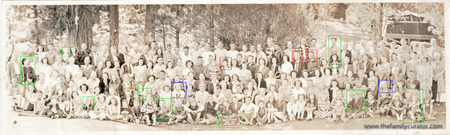
    epson-scan-600jpg001-2.jpg

    Epson Scan -- jpg, 1.1MB, 1571 x 1257

    SCAN0079-2.jpg

    FlipPal Scan -- jpg, 983KB, 1474 x 1179

    My imperfect cropping showed up in the two slightly different file sizes, but overall the images were pretty close. The difference, however, shows up in the scan color. The FlipPal doesn't really have an option to select color, and overall the image has a purple-ish cast. It isn't too bad and can be easily adjusted. The Epson scan, is very close to the original Kodak print with that old-fashioned black and white tone.

    My choice? The FlipPal does a good job, and I would certainly be happy to scan these images from a relative or on a research trip; but at home, it's easier overall to let the Epson flatbed crop in the Preview screen and save me from any later color adjustments. As a premium, the Epson will even let me scan multiple images at one time, a real time-saver.

    You May Also Like --

    More comparisons of the FlipPal Mobile Scanner and the Epson V500 here.